
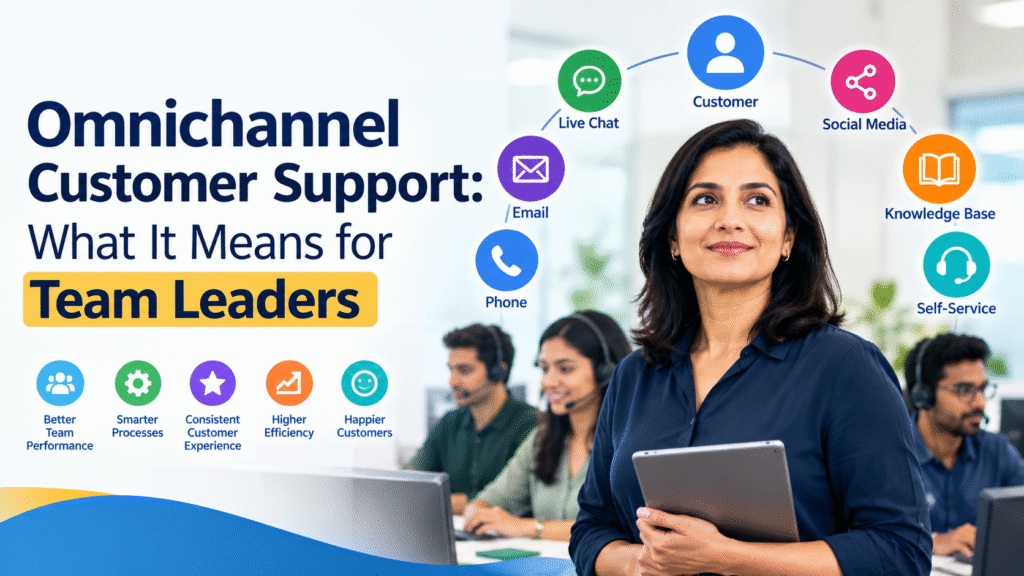
Omnichannel Customer Support: What It Means for Team Leaders
Customers today don’t communicate with businesses through just one channel. They may start with a live chat, follow up through email, call the support center, and later check a knowledge base for an answer.
For support teams, this creates an important challenge: How do you provide a consistent customer experience when customers are interacting with your organization through multiple channels?
This is where Omnichannel Customer Support becomes important.
For team leaders, omnichannel support is not simply about adding more communication channels. It requires managing people, processes, technology, knowledge, quality, and performance across those channels while ensuring that customers don’t have to repeatedly explain their problems.
Let’s look at what omnichannel customer support means and what team leaders need to know to manage it effectively.
What Is Omnichannel Customer Support?
Omnichannel customer support is an approach where customers can interact with a support organization through multiple channels while receiving a connected and consistent support experience.
These channels may include:
- Phone
- Live chat
- Social media
- Web forms
- Messaging applications
- Self-service portals
- Knowledge bases
- Community forums
The important difference between multichannel and omnichannel support is how these channels work together.
Multichannel Support
A company may offer phone, email, and chat, but each channel may operate separately.
For example:
A customer contacts support through chat and receives a case number. Later, they call the support center and have to explain the entire problem again.
The organization has multiple channels, but the experience is disconnected.
Omnichannel Support
With an omnichannel approach, customer interactions are connected.
For example:
A customer starts a conversation through chat. The support analyst records the details in the service management system. When the customer later calls, the next analyst can see the previous conversation and continue from where the customer left off.
The customer doesn’t have to start over.
The goal is not simply to have more channels. The goal is to provide a connected customer experience across channels.
Why Is Omnichannel Customer Support Important for Team Leaders?
Team leaders are responsible for much more than answering customer questions.
They must ensure that:
- Customers receive timely responses
- Analysts have the information they need
- Work is distributed effectively
- Service levels are achieved
- Quality remains consistent
- Knowledge is shared
- Escalations are handled properly
- Customer information is protected
- Performance is measured accurately
When multiple channels are involved, these responsibilities become more complex.
For example, a team may have:
Phone: 100 interactions per day
Chat: 150 interactions per day
Email: 200 interactions per day
Social media: 30 interactions per day
A team leader needs to understand not only the volume but also the type, urgency, complexity, and expected response time for each channel.
Example: A Customer Uses Multiple Channels
Imagine a customer is trying to publish an event but receives an error.
9:00 AM – Live Chat
The customer contacts support through chat.
The analyst identifies that the customer’s event configuration has an issue.
10:00 AM – Email
The customer sends screenshots through email.
If the support environment is connected, the email can be associated with the existing interaction.
2:00 PM – Phone
The customer calls because the event needs to go live that afternoon.
The analyst answering the phone can review the previous interactions.
Instead of asking:
“Can you explain the problem again?”
the analyst can say:
“I can see that you contacted us earlier about the event publishing issue. You also sent us a screenshot. Let me review that information and continue from there.”
That’s the value of an omnichannel experience.
Omnichannel Is More Than Technology
One common mistake is to think:
“If we connect all our communication channels to one system, we have omnichannel support.”
Technology is important, but it is only one part of the solution.
Team leaders also need to consider:
1. People
Do analysts know how to handle different channels?
2. Processes
Are interactions routed and escalated consistently?
3. Knowledge
Do analysts have access to the same approved information?
4. Quality
Are customer interactions evaluated consistently?
5. Metrics
Are channel-specific metrics being monitored?
6. Training
Are analysts trained to communicate differently depending on the channel?
The Role of a Team Leader in Omnichannel Support
A team leader plays an important role in making omnichannel support successful.
1. Understand Each Support Channel
Different channels have different customer expectations.
For example:
| Channel | Typical Customer Expectation |
| Phone | Immediate interaction |
| Live Chat | Fast response |
| Detailed response | |
| Social Media | Quick acknowledgement |
| Self-Service | Immediate information |
A team leader should understand these differences when planning staffing and service levels.
For example, an analyst who is excellent at writing detailed email responses may not necessarily be the best person to handle high-volume live chat.
2. Plan Staffing Around Channel Demand
One of the biggest responsibilities of a team leader is ensuring that enough analysts are available when customers need support.
Suppose your support center receives:
- 20 chats between 9–10 AM
- 50 chats between 10–11 AM
- 100 chats between 11 AM–12 PM
If most analysts are scheduled for other activities during the 11 AM–12 PM period, customers may experience long wait times.
A team leader can use historical data to identify demand patterns and adjust staffing accordingly.
Example
Instead of scheduling:
5 analysts throughout the day
the team could schedule:
3 analysts during low-volume periods
7 analysts during peak periods
This helps match capacity with demand.
3. Create Consistent Processes
Customers should receive consistent service regardless of which channel they use.
For example, suppose a customer requests a password reset.
The process should define:
- How the customer is authenticated
- What information the analyst can request
- How the request is processed
- When escalation is required
- What information must be documented
- How the interaction is closed
The process should work whether the customer contacts the organization through chat, phone, or email.
4. Make Customer Information Available Across Channels
One of the biggest benefits of omnichannel support is having customer information available when needed.
For example, a customer might have:
- Previous incidents
- Service requests
- Account information
- Previous conversations
- Product information
- Escalation history
When this information is available to the analyst, the customer doesn’t have to repeatedly provide the same information.
Example
Poor experience:
Customer: “I contacted you yesterday about this.”
Analyst: “I don’t have access to that conversation. Can you explain everything again?”
Better experience:
Analyst: “I can see your previous interaction from yesterday. You were experiencing an issue with your event configuration. Let’s continue from there.”
The second interaction is more efficient for both the customer and the support team.
5. Maintain a Single Source of Knowledge
Omnichannel support becomes difficult when different channels provide different answers.
Imagine:
Chat analyst: “This feature is available.”
Email analyst: “This feature isn’t available.”
Phone analyst: “Let me check.”
This creates confusion and reduces customer confidence.
A team leader should therefore ensure that analysts use an approved knowledge source.
This could include:
- Knowledge articles
- Standard operating procedures
- Troubleshooting guides
- FAQs
- Service catalog
- Escalation procedures
- Known-error documentation
When information changes, the knowledge source should also be updated.
6. Train Analysts for Different Channels
The communication style required for each channel can be different.
Phone
Analysts can use tone, pauses, and verbal explanations.
Chat
Responses need to be concise and easy to read.
Responses should be structured and provide sufficient detail.
Social Media
Responses should avoid exposing confidential customer information publicly.
For example, instead of posting:
“Please send us your account password and customer ID.”
the analyst should move the conversation to a secure support channel.
Team leaders should therefore include channel-specific communication skills in training.
7. Monitor the Right Metrics
Omnichannel support requires more than one metric.
A team leader should monitor both channel-specific metrics and overall customer experience.
Some useful metrics include:
First Response Time
How long does the customer wait before receiving the first response?
Average Handle Time
How long does it take to handle an interaction?
First Contact Resolution
How often is the customer’s issue resolved without additional interaction?
Customer Satisfaction
How satisfied was the customer with the support experience?
Abandonment Rate
How many customers leave before receiving support?
Service Level
How often does the team meet its defined response or resolution targets?
Channel Volume
How many interactions are received through each channel?
Don’t Measure Every Channel the Same Way
This is particularly important for team leaders.
A 30-second response may be excellent for live chat but may not be appropriate for a complex email request.
Similarly, a 10-minute phone interaction isn’t necessarily worse than a 3-minute interaction if the longer interaction successfully resolved a complex problem.
Team leaders should therefore consider:
Volume + Speed + Quality + Resolution + Customer Experience
rather than focusing on one metric.
Example: Measuring Omnichannel Performance
Suppose your team handled 1,000 interactions during a week.
| Channel | Volume | First Response | CSAT |
| Chat | 400 | 1 min | 94% |
| 350 | 2 hrs | 91% | |
| Phone | 200 | Immediate | 95% |
| Social | 50 | 15 min | 88% |
A team leader should not simply conclude that the channel with the lowest response time is performing best.
The leader should investigate:
- Why is social CSAT lower?
- Are social interactions being routed correctly?
- Are analysts trained for social communication?
- Are customers being moved to private channels when necessary?
- Are certain issues appearing more frequently on social media?
Metrics should lead to questions and improvement actions.
Omnichannel Support and Escalation Management
Customers often move between channels when their issue is unresolved.
For example:
Chat → Email → Phone → Escalation
If every channel creates a separate ticket, the support team may lose visibility into the customer’s complete experience.
A team leader should establish clear rules for:
- Linking related interactions
- Maintaining ownership
- Escalating issues
- Updating customers
- Recording actions
- Closing duplicate cases
Example
A customer reports a billing issue through email.
The issue is not resolved after two exchanges, so the customer calls.
Instead of creating a completely new case, the phone interaction should ideally be connected to the existing case.
This provides a complete history.
Omnichannel Support and Customer Effort
One of the most important questions for a team leader is:
How much effort does the customer have to make to get help?
Consider two experiences.
Experience A
Customer:
- Starts chat
- Explains the problem
- Is asked to email screenshots
- Emails screenshots
- Calls support
- Explains everything again
- Gets transferred to another team
Experience B
Customer:
- Starts chat
- Explains the problem
- Shares screenshots
- Support records the information
- Customer calls
- Analyst sees the history
- Issue is resolved
Both organizations may have the same number of support channels.
But the second provides a more connected experience.
Self-Service Is Also Part of Omnichannel Support
Omnichannel customer support does not necessarily mean every customer must speak with an analyst.
Self-service can be an important part of the support journey.
Customers may use:
- Knowledge bases
- FAQs
- Troubleshooting guides
- Product documentation
- Community forums
- Video tutorials
For example:
A customer searches for “How do I reset my password?”
They find a knowledge article and resolve the issue without contacting support.
If they still need help, they can then move to chat or phone.
This creates a support journey such as:
Self-Service → Chat → Phone → Specialist
A good omnichannel strategy should allow customers to move between these options when necessary.
Common Challenges Team Leaders Face
Challenge 1: Disconnected Systems
If chat, email, phone, and social interactions are stored in separate systems, analysts may not see the complete customer history.
What team leaders can do
Work with IT or system administrators to identify opportunities for integration and ensure important customer information is accessible.
Challenge 2: Inconsistent Answers
Different channels may provide different information.
What team leaders can do
Create and maintain a central knowledge source and regularly review knowledge articles.
Challenge 3: Poor Channel Routing
A customer may be directed to the wrong team.
What team leaders can do
Review routing rules and analyze transfers and escalations.
Challenge 4: Inadequate Staffing
Peak periods can create long queues.
What team leaders can do
Use historical volume data to forecast demand and schedule analysts accordingly.
Challenge 5: Measuring Too Much
Teams can become overwhelmed by dashboards containing dozens of metrics.
What team leaders can do
Focus on a manageable set of KPIs that connect directly to customer experience and business objectives.
A Simple Omnichannel Framework for Team Leaders
Team leaders can use this simple framework:
1. Channels
Which channels do customers use?
2. Customers
Who uses each channel and what do they expect?
3. Processes
How does an interaction move from one channel to another?
4. People
Do analysts have the skills required for each channel?
5. Knowledge
Do analysts have access to consistent information?
6. Technology
Can systems share customer and interaction information?
7. Metrics
How will performance and customer experience be measured?
8. Improvement
What does the data tell you needs to change?
Practical Example for a Support Team Leader
Imagine you manage a support center for an event-ticketing platform.
Customers contact support about:
- Events
- Ticket purchases
- Payments
- Refunds
- Account access
- Event configuration
- Scanning and check-in
Your team supports customers through:
Phone + Chat + Email + Knowledge Base
You notice that chat volume is increasing every Friday afternoon.
Your data shows:
- Chat volume increases by 40%
- First response time increases from 1 minute to 5 minutes
- CSAT drops from 95% to 88%
- Many chats relate to the same three questions
As a team leader, you could investigate:
People: Do we need additional coverage on Friday afternoons?
Process: Can these questions be handled more efficiently?
Knowledge: Can we improve the relevant knowledge articles?
Self-Service: Can customers find these answers before starting a chat?
Technology: Can routing direct specific questions to the right team?
Training: Do analysts need additional training?
This turns omnichannel management into a continuous improvement process rather than simply monitoring queues.
Best Practices for Team Leaders
Here are some practical best practices:
Keep the customer history connected
Avoid making customers repeat information unnecessarily.
Maintain consistent knowledge
Ensure analysts across channels use the same approved information.
Staff according to demand
Use historical data to identify peak periods.
Train for channel-specific communication
Phone, chat, email, and social interactions require different communication approaches.
Monitor customer journeys
Look beyond individual interactions and understand how customers move between channels.
Use metrics to improve
Don’t measure performance simply for reporting. Use the data to identify problems.
Protect customer information
Especially when customers use public social media channels.
Review escalations
Frequent transfers may indicate process, training, routing, or knowledge problems.
Encourage self-service
Well-designed self-service can reduce unnecessary contacts while giving customers faster answers.
Key Points
Omnichannel Customer Support is not simply about offering customers multiple ways to contact a company. It is about creating a connected support experience across those channels.
For team leaders, this means looking beyond individual phone calls, chats, or emails and understanding the entire customer journey.
A successful omnichannel support environment requires alignment between:
People + Processes + Technology + Knowledge + Metrics
The team leader’s role is to ensure these elements work together so that customers receive consistent, efficient, and effective support—regardless of how they choose to interact with the organization.
The ultimate question for a team leader is simple:
Can the customer move between support channels without feeling like they are starting over?
If the answer is yes, your support center is moving toward a truly omnichannel customer experience.
Continue Your Learning Journey
Understanding Omnichannel Customer Support is an important step toward becoming a stronger and more effective support team leader. But mastering support leadership requires more than understanding concepts—it requires practical tools, real-world examples, and proven leadership techniques you can apply with your team.
Prefer learning at your own pace?
You can also take the Udemy version of this course, perfect for self-paced learners: Support Team Leader Mastery Bestseller Course on Udemy.
The course is packed with real-world examples, leadership templates, and proven coaching frameworks designed to help you build the skills needed to lead high-performing support teams.
“Leadership is not about being in charge. It’s about taking care of those in your charge.”
Ready to lead with greater clarity, confidence, and capability?
Get Certified Now and take the next step toward advancing your support leadership career

Govindraj Shetty is a customer support and success leader with over 19 years of experience across global organizations. He has built and scaled high-performing support and customer success teams, most notably at Yapsody, where he established departments and programs that consistently delivered strong customer satisfaction and client retention.
He is a trainer, Udemy instructor, and founder of The Customer Support School, and the author to customer support books.
